
If you have ever tried running ads on Google Ads, you have probably seen the word bidding and felt confused. That is completely normal. Many beginners think bidding is something technical or risky. In reality, bidding is very easy.
Bidding just means deciding how much you are willing to pay for results from your ads. These results could be clicks, leads, sales, or even just views. Google then uses your bid, along with other factors, to decide when and where your ad should appear. In this blog, we will explain Google Ads bidding using simple words, short explanations, and real-world examples. No complex terms, no confusing language just a clear understanding of how bidding works.
Bidding Basics
Let’s start with the basics.
Bidding in Google Ads is like raising your hand and saying to Google,
“This action is worth this much money to me.”
The action could be:
- Someone clicking your ad
- Someone filling out a form
- Someone buying a product
- Someone is watching your video
- Someone seeing your ad
Many advertisers want their ads to show for the same keywords or audiences. Because Google cannot show everyone’s ad at the same time, it runs an auction.
The most important part is that Google does not only pick the highest bidder.
Google wants its users to see helpful and relevant ads. So even if someone bids more money, your ad can still win if it is better and more useful than other ads. Earlier, advertisers had to manually decide how much to bid for every keyword. This worked, but it took a lot of time for advertisers. Now, Google offers automated bidding that adjusts the bids for you based on your goal.
How Does Google Ads Bidding Work?
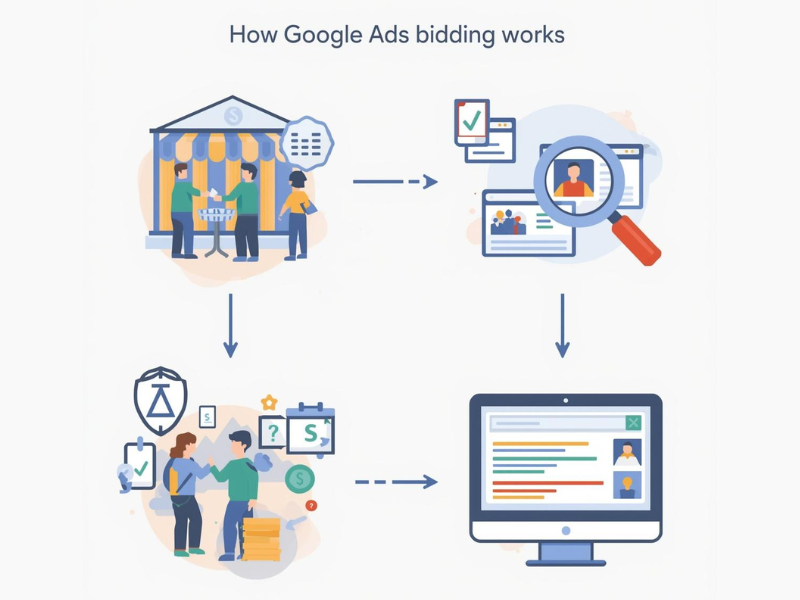
Google Ads bidding works through a very fast auction that happens every time someone searches or visits a website with ads.
Here are some simple steps on how it works:
1. If someone searches on Google
Example: “best digital marketing course”
2. Then Google looks for ads that match
It checks which advertisers are targeting that keyword.
3. Then an auction happens instantly.
All matching ads enter the auction.
4. After that, it ranks the ads.
Google checks bids, ad quality, and relevance.
5. Then the ads are shown on the page
Better-ranked ads appear at the top.
6. Then you can pay only when someone clicks on your ad
Just showing your ad does not always cost.
Another important thing to understand:
You do not always pay the full amount you bid. So bidding is not just about spending more; it is about spending smart.
What are the five Components of Google Ads Auction Rankings?
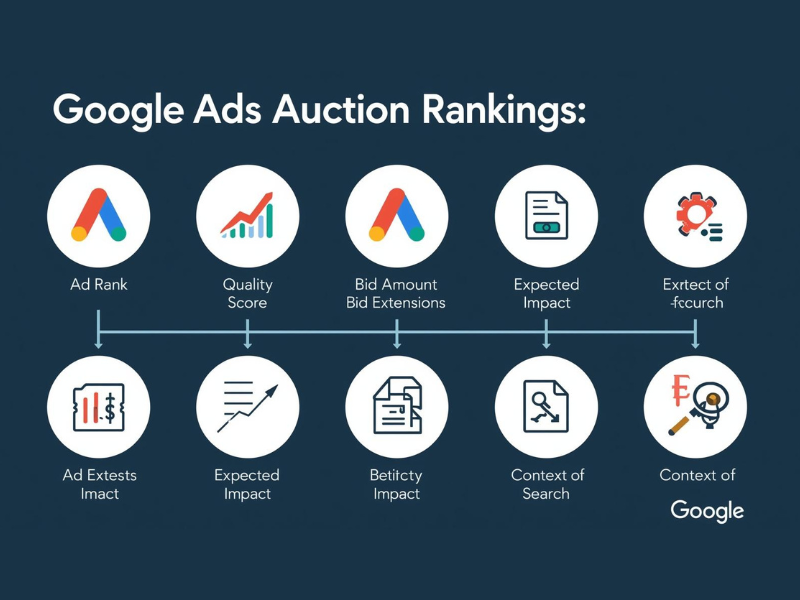
When Google decides which ad to show first, it looks at key things. These together decide your ad position.
1. Your Bid
What is the maximum amount you are willing to pay for your ads higher bids help, but they
do not guarantee any success.
2. Ad Quality
Google checks how useful your ad is for users. This includes:
- How often do people click your ad?
- How closely does your ad match the search?
- How good is your landing page?
Good ads with clear messages perform better.
3. Relevance
Your ad should match what the user is actually looking for. If someone searches for “buy
shoes online,” an ad about shoes will do better than a general ad.
4. Extra Ad Information
Things like call buttons, extra links, or short highlights make ads more helpful. Google
prefers ads that will give users more options.
5. Real-Time Factors Google Ads also looks for:
- Location
- Device type
- Time of day
- User behavior
All these factors work together to decide where your ad shows and how much you pay.
How to Set Goals for Your Bidding Strategies?
Before choosing any bidding option, you can ask yourself one simple question:
What do I want from my ads?
Your answer decides which bidding strategy is the best.
If You Want More Brand Awareness Your goal is to show your brand to more people to increase reach.
• It focuses on getting more views
• It’ s best for new businesses or product launches
If You Want More Website Visitors
Your goal is to generate more traffic.
• It focuses on clicks
• It is useful for blogs, services, or content pages
If You Want Leads
Your goal is to provide actions like calls or form fills.
• It focuses on conversions
• It is best for service-based businesses
If You Want Sales
Your goal is always to purchase.
• It focuses on revenue
• It is best for online stores
If You Want Video Views or App Installs
Your goal is always engagement.
• It focuses on your views or installs
Once your goal is clear, Google’s system can work properly. Without a goal, the bidding becomes very confusing and less effective.
What Are the Types of Automated Bidding Strategies?
Automated bidding means Google adjusts your bids automatically to help you reach your goals. Here are the most common types, which are explained simply:
Maximize Clicks
Google tries to get you as many clicks as possible within your budget and it is good for beginners and traffic campaigns.
Maximize Conversions
Google also focuses on generating the most actions, such as sign-ups or purchases.
Target CPA
You should tell Google how much you’re willing to pay for one lead or sale, and it attempts to match that.
Maximize Conversion Value
Google focuses only on higher-value sales, not just more sales.
Target ROAS
You should tell Google how much return you want from your ads, and it optimizes for revenue.
Target Impression Share
You can control how often and where your ad appears on the page.
Each strategy will work at its best when your goal is clear, and tracking is set up correctly.
Benefits and Disadvantages of Automated Bidding
Automated bidding makes life easier, but it has pros and cons.
Automated Bidding Benefits
- Saves time and effort
- Adjusts bids automatically
- Uses data to make better decisions
- Works well for large campaigns
- Improves results over time
For most advertisers, automated bidding is easier than manual bidding.
Disadvantages of Automated Bidding
- Less control over individual bids
- Needs correct tracking to work well
- Takes time to learn
- Can spend more if the settings are wrong
- Not always easy to understand decisions
This is why regular monitoring is still important.
FAQs
1. What is bidding in Google Ads?
Bidding is deciding how much you are willing to pay for clicks, leads, or sales.
2. Do I need to bid high to win?
No. Good ads can beat higher bids.
3. Is automated bidding safe for beginners?
Yes, if tracking is set up properly.
4. How long does automated bidding take to work?
Usually about one to two weeks.
5. Can I change bidding strategies later?
Yes, but avoid changing too often.
6. Which bidding strategy is best for beginners?
Maximize Clicks or Maximize Conversions are good for starting points.